Refreshing posts blindly
Rankings feel stuck, so you rewrite old posts and hope. Linkstonic shows which posts are losing clicks or position, so you refresh those first.
Stop guessing which articles need an update. Every post gets its Google numbers, technical health and AI citations on one screen. It's made for solo bloggers and small editorial teams publishing on their own domain.


 Healthy
Refresh
Link gap
Not cited
Healthy
Refresh
Link gap
Not cited
Sample dashboard for illustration
See when these assistants cite your posts, or your competitors
ChatGPT
Claude
Gemini
Perplexity
Effort usually isn't the problem. What's missing is a clear view of which posts are slipping, how the site links together, and whether AI assistants mention you at all.
Rankings feel stuck, so you rewrite old posts and hope. Linkstonic shows which posts are losing clicks or position, so you refresh those first.
New articles go live with no links from your strongest posts. See where links are missing and what anchor text to use.
Readers ask ChatGPT, Claude, Gemini and Perplexity for recommendations. Find out whether those answers name your blog or a competitor's.
Illustrations use sample data.
Connect your site, run automated audits and plug in Google Search Console, so every post is tied to real queries, clicks and positions. Then see how AI assistants talk about your topic.
See which posts earn impressions and clicks for the keywords you care about, straight from Search Console data. High impressions with a weak CTR usually means the title or intro needs work.
Track the prompts your readers type into ChatGPT and the other assistants, and see which competitors show up next to you in the same answers.
Run a focused AI visibility audit on a URL, a brand or a comparison set when a launch or refresh needs evidence rather than a hunch. You get a score and a ranked fix list.
PageSpeed, schema, links, security signals and more, with guidance on what to fix first. Re-run after a theme or plugin change to catch regressions before your impressions drop.
Most bloggers juggle Search Console, a rank tracker, Lighthouse and a fair amount of guesswork. This is what changes when it all sits in one workspace.
Exports, screenshots and gut feel.
Audits, Search Console and AI visibility together.
Random rewrites and surprise drops.
Updates tied to data, with numbers you can show sponsors and partners.
Start freeConnect the site you publish on and verify ownership using the method your plan supports.
Start a technical audit and import query and page data, so you're prioritizing from numbers instead of hunches.
Use dashboards and alerts to refresh winners, fix regressions and pitch sponsors or partners with numbers.
A podcast gear brand asks what your site does for microphones. You export 28 days of clicks, impressions and queries for your mic posts from SearchMind, then add which AI assistants cite you for buying prompts. Before sending, you audit the pitched posts, fix broken links and schema, and turn on alerts for those URLs.
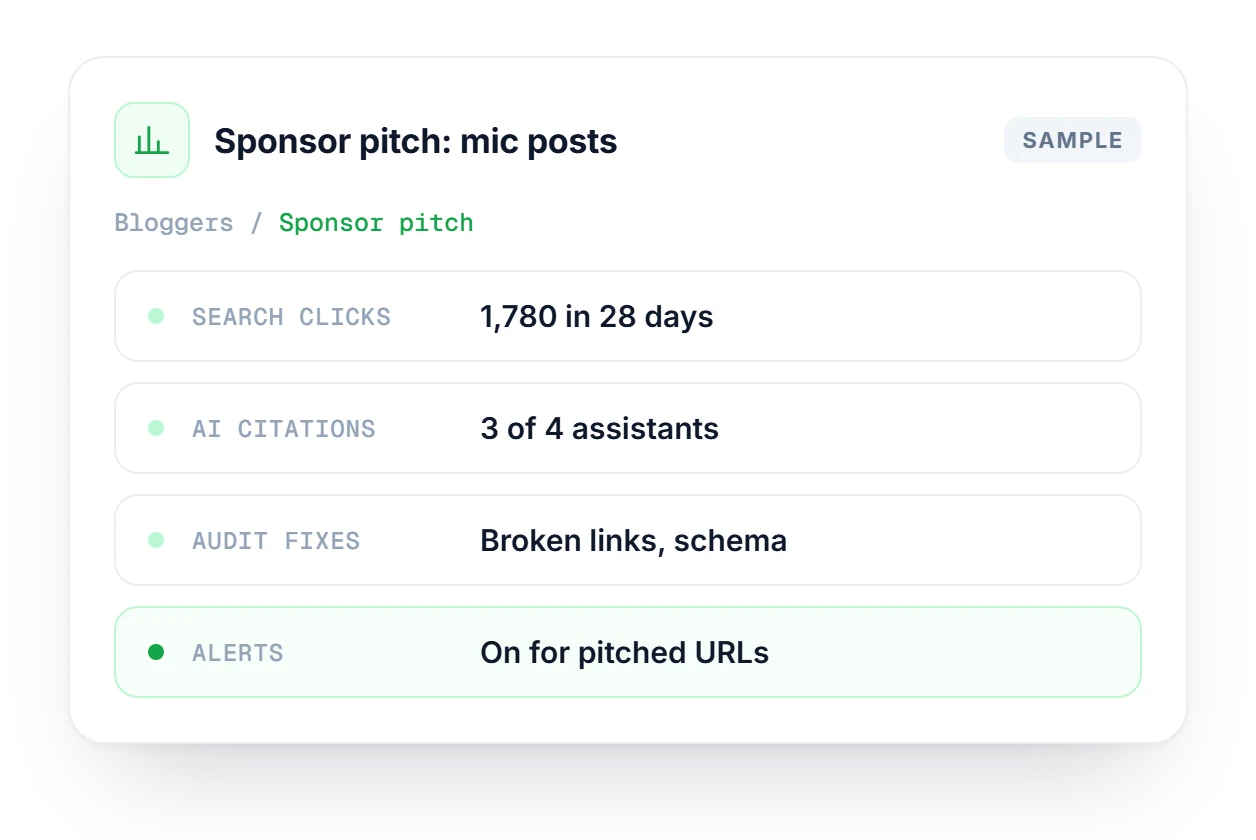
Illustrations use sample data.
How Linkstonic fits into a publishing routine, from your first audit to weekly refreshes.
See which plan fits a solo blog or a small editorial team.
Compare plans →Yes. Start with an automated audit and the basic dashboards, then add Search Console and AI tracking once you're comfortable. Audit items come with plain-English guidance, so you don't need to know what schema is on day one.
No, it sits next to them. Linkstonic is about execution: technical health, performance data, AI visibility and alerts. It doesn't have a huge keyword database, so keep your research tool for new topics and use Linkstonic to look after what you've published.
Search Console only shows you Google. Linkstonic pulls that data in and adds automated audits, AI assistant visibility, TrueTrace analysis and integrations, so you aren't stitching CSV exports together by hand.
Yes, and it's a good time to start. On a small site you can fix technical issues before they spread across a hundred posts, and you learn early which articles are worth the next refresh.
Not with outreach. Linkstonic highlights internal linking opportunities and shows which competitors AI cites instead of you. External link building is a separate job, and it pays to get your own site's links in order first.
You connect a property, run an audit, optionally link Search Console, and start reviewing the AI and SEO dashboards. Alerts can notify you when metrics change.
Pricing scales from solo creators to small editorial teams. Cancel anytime on supported plans.
Our customers
Linkstonic for our team has been a game-changer. It’s helped us work more efficiently, cutting down on manual checks so we can focus on what really matters—measuring AI visibility, fixing technical SEO, and driving growth.
+373%
Increase in
share of voice