Every market, read separately
Click a country in the top-countries table and everything switches to that market: the table, the KPI cards and the charts.
SearchMind puts your Google Search Console data on one screen. Filter by property, country, folder and date, read clicks next to rankings, export only the columns you need, and see a Check AI score on every page.
 yourbrand.com
Germany
/blog/
Last 28 days
yourbrand.com
Germany
/blog/
Last 28 days
| Page | Clicks | CTR | Pos | AI |
|---|---|---|---|---|
| /blog/best-crm-for-startups | 3,412 | 4.8% | 3.2 | 8.6 |
| /blog/crm-pricing-guide | 2,087 | 3.1% | 5.9 | 6.1 |
| /blog/email-sync-setup | 1,540 | 6.2% | 2.4 | 9.1 |
| /blog/sales-pipeline-template | 988 | 2.2% | 8.7 | 4.3 |
Sample data for illustration
A raw GSC export loses the country split, flattens your folders and tells you nothing about whether an answer engine would quote the page. SearchMind keeps that context on screen.
Click a country in the top-countries table and everything switches to that market: the table, the KPI cards and the charts.
The directory filter follows your site's folders. Put the blog next to docs or product pages without building a pivot table.
Check AI scores each URL from 0 to 10 for AI visibility. Hover for context, then open TrueTrace or an SEO Audit when a page needs more work.
It's one screen with four parts. Set a filter once and it carries through the KPI strip, both charts and the top pages table.
Connect with OAuth, pick one or more verified properties and always see which one is active. Then narrow by country, site section and date range.
Two charts show the trend instead of one snapshot: clicks and impressions as areas, average position and CTR as lines. Click a row in top countries and everything filters to it.
URL, title, clicks, impressions, CTR, position and backlinks, sortable on the main metrics. Show or hide columns, set a bigger page size for large sites, and export only what the report needs.
Run Check AI on any row for a quick 0–10 AI visibility score. Load page link analysis on demand to see internal and external link counts, with anchors and URLs in separate tabs.
SearchMind pulls from the same Search Console data and keeps the context an export throws away.
Default GSC UI plus exports and pivots.
One filtered workspace for URLs.
Fine for a one-off question about a single property.
Platform overviewInternational rollouts, content QA, AEO reviews and weekly client reports.
Try SearchMindOAuth into Search Console, choose the domain or URL-prefix property, and everyone on the team can see which one is active.
Slice by country, folder and date. The KPIs and both charts update together, so SEO and content teams argue from the same numbers.
Send stakeholders a CSV. Run Check AI and link analysis on the URLs that need AEO work, then pass them to TrueTrace.
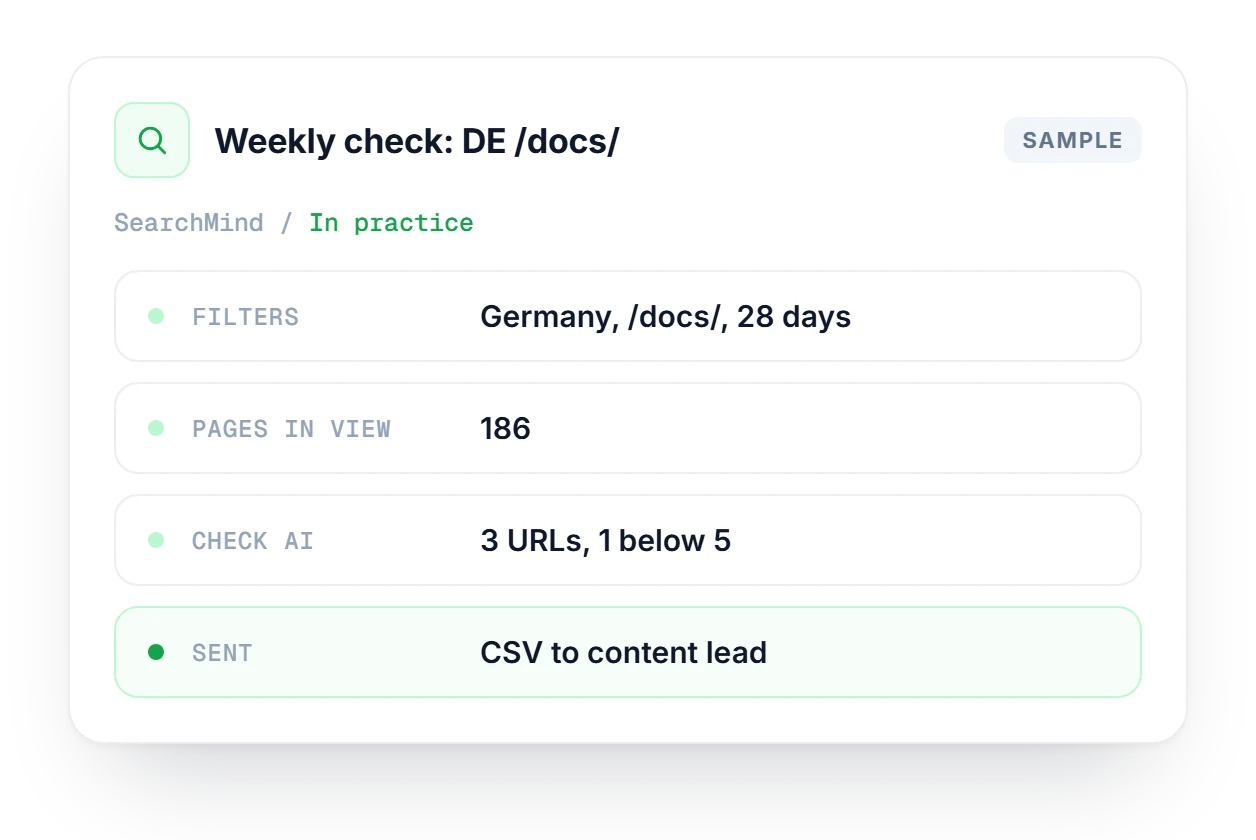
German traffic to your docs dipped, so you filter SearchMind to Germany and /docs/ for the last 28 days. You sort by clicks, read CTR next to position and run Check AI on a few URLs, sending low scorers to TrueTrace. Then you export the CSV for the content lead and start from the same filters next Monday.
When Check AI flags a page, TrueTrace scores it on 20 citation factors and tells you what to fix first.
Explore TrueTraceFix the technical issues behind a weak URL, from broken links to crawler access.
Explore SEO AuditFollow your brand's mentions and position in ChatGPT, Claude, Gemini and Perplexity over time.
Explore AI TrackingHow SearchMind filters, scores and exports your Search Console data.
See how SearchMind fits into the full platform and which plan suits your team.
Compare plans →SearchMind is Linkstonic's workspace for Google Search Console data. It lists your URLs by organic performance, with country and folder filters, trend charts, CSV export and a Check AI score on every row. Most questions take a couple of clicks instead of a long session in the default GSC reports.
They split clicks and CTR by country, so you see how each market performs instead of one blended global number. That helps with international SEO, and with GEO work when you tune content and structured answers for assistants used in a specific region.
Directory filtering limits the table to URLs under one site section, such as /blog/ or /docs/. Product managers and SEOs can then compare one section against another, or track a single section over time, without writing regex in Search Console.
Check AI gives each URL a quick 0–10 AI visibility score, a first read on whether answer engines could quote it. AEO comes down to passages that assistants can cite safely. When a score flags thin or risky content, open TrueTrace or an SEO Audit for the details.
Yes. Show or hide the page, title, metric and link-related columns, then export exactly that view. The file drops straight into BI tools, Looker Studio or a slide deck, so nobody rebuilds the weekly report by hand.
Page link analysis loads the internal and external link counts for a URL from crawl data, on demand. A details dialog lists the anchors and the full URLs in separate tabs. It's worth a look before any big internal linking push.
Connect Search Console, pick a property and see your top URLs by market, section and AI readiness.
 #2
#2 #1
#1 #3
#3