Context, not keywords
LinkMind reads the full content of both pages and suggests links a good editor would make after reading them, not links that just share a keyword.
Most sites have hundreds of pages that barely link to each other. LinkMind crawls the whole site, works out which pages belong together, and tells you where each link goes and what the anchor should say.
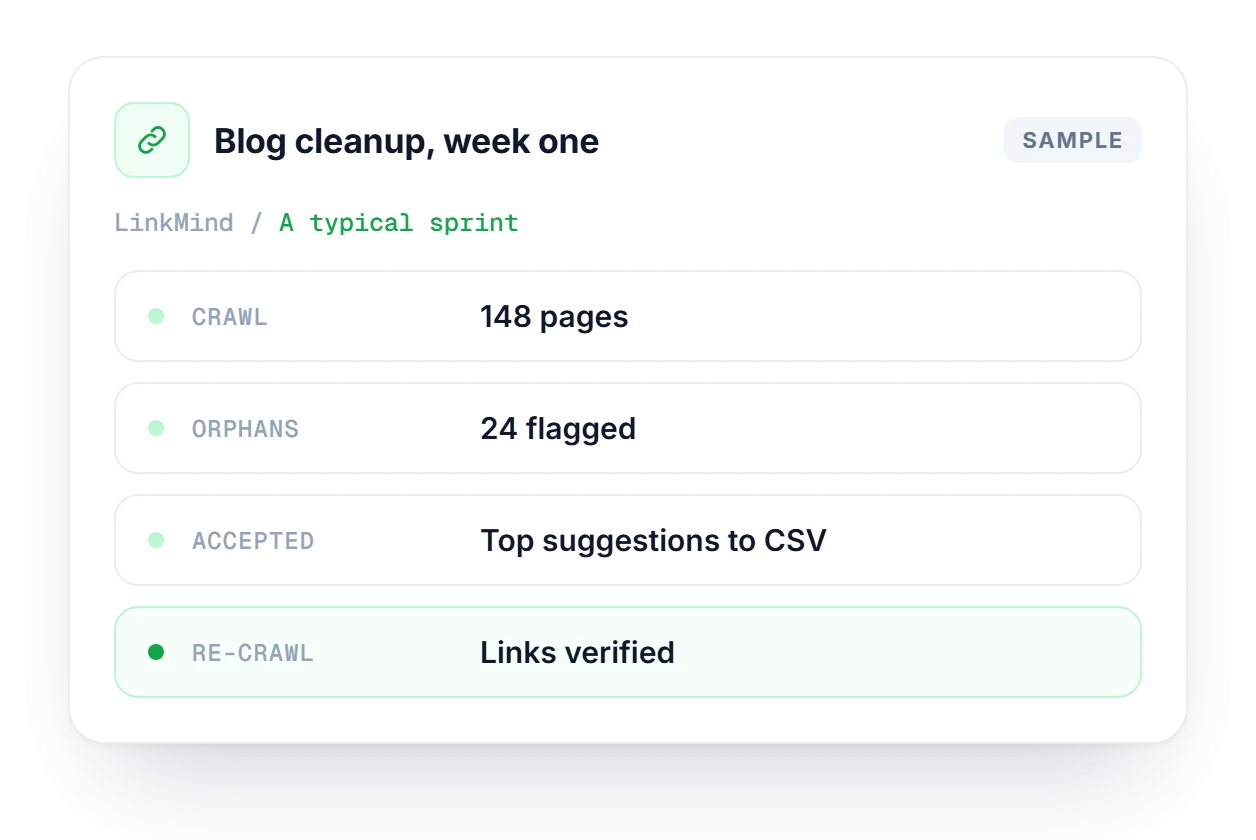
Sample project for illustration
Works alongside the tools you already use
 Search Console
 WordPress & Webflow
Semantic matching
CSV export
WordPress & Webflow
Semantic matching
CSV export
Missing links, orphaned pages and anchor text suggestions, in ranked order, so your team starts with the links that will do the most good.
LinkMind reads the full content of both pages and suggests links a good editor would make after reading them, not links that just share a keyword.
Any published page with zero internal links gets flagged, together with the existing pages that ought to link to it.
Connect Search Console and your high-traffic pages become link hubs. Suggestions are sorted by where a new link will do the most good.
A manual internal link audit eats a working day and still misses things, because no person compares every pair of pages. LinkMind does.
Read pages, guess, write it down.
Crawl, match, review, export.
A partial list that goes stale the day you publish the next post.
A ranked list you can re-run after every crawl.
Start a projectFor each opportunity, LinkMind offers three to five anchor options based on what the target page is really about. Then it keeps track of what you implement.
3–5 options per link, written from what the target page is about.
Mark suggestions as implemented, then run a fresh crawl to check the link is really there.
A progress view shows how your internal link coverage grows over time.
The only setup is creating a project. LinkMind does the analysis, you decide what to implement.
Enter your domain, optionally connect Google Search Console for traffic data, and start the crawl.
The crawler maps your site structure, reads the content and compares every pair of pages for meaning. Orphaned pages get flagged along the way.
Go through suggestions sorted by confidence. Accept, skip or export to CSV, then mark links as implemented so you can track progress.
A content team has published two posts a week for a year without linking them, and traffic is flat. They start a LinkMind project, connect Search Console and run a crawl. They fix orphaned guides first, accept the top suggestions with better anchors and export them as a CSV. A fresh crawl a week later confirms the links went live.
Before you point links at a page, check it deserves them with an AI readiness and Content Score check.
Explore Content LabSee your top pages by clicks, CTR and position from Search Console, so you know which URLs should get the most internal links.
Explore SearchMindThe technical audit flags broken links and missing internal linking patterns alongside PageSpeed, schema and security checks.
Run a free auditHow LinkMind finds, ranks and tracks internal link opportunities.
LinkMind is in Beta on Pro and Agency plans. Check crawl limits and project allowances.
Compare plans →Most crawlers tell you which links exist. LinkMind tells you which ones are missing: which page should link to which, and what the anchor text should say. It compares pages by meaning instead of matching keywords, so the suggestions read like an editor made them.
Without Google Search Console, LinkMind ranks suggestions by how closely the pages match in meaning. With GSC connected, your high-traffic pages move up as link hubs, and suggestions are sorted by where a link would bring the most real traffic benefit.
They're published pages that no other page on your site links to. Search engines rarely crawl them well and visitors almost never find them. LinkMind flags each one and suggests which existing pages should link to it.
Yes. It works with any site it can crawl publicly, including WordPress, Webflow, Shopify and custom builds. You get a list of suggestions that you or your editors add in your CMS. There's no plugin to install.
Yes. The CSV export includes the source URL, target URL, suggested anchor and surrounding context for each link, so an editor can open the page, find the sentence and add the link without asking you anything.
LinkMind is in Beta and comes with the Pro and Agency plans. Crawl limits and the number of projects depend on the plan, so check the Pricing page for the current numbers.
Enter a domain, run the crawler and get your first list of internal link opportunities in under five minutes.