Alt Text Checker
Enter any page URL and the tool fetches it, counts the images, and tells you how many carry an alt attribute. You get a coverage percentage and the file path of every image that's missing one, so you know exactly which to fix.
Updated · by the Linkstonic team
What the checker counts
The check is deliberately narrow: does each image have an alt attribute or not. Knowing where that line sits helps you read the numbers correctly.
Server-side fetch
The URL goes to Linkstonic's server, which downloads the page HTML and reads its image tags. Pages behind a login, or sites that block automated requests, may fail or return a partial page. Images injected later by JavaScript may not be in the HTML the server sees.
Four numbers
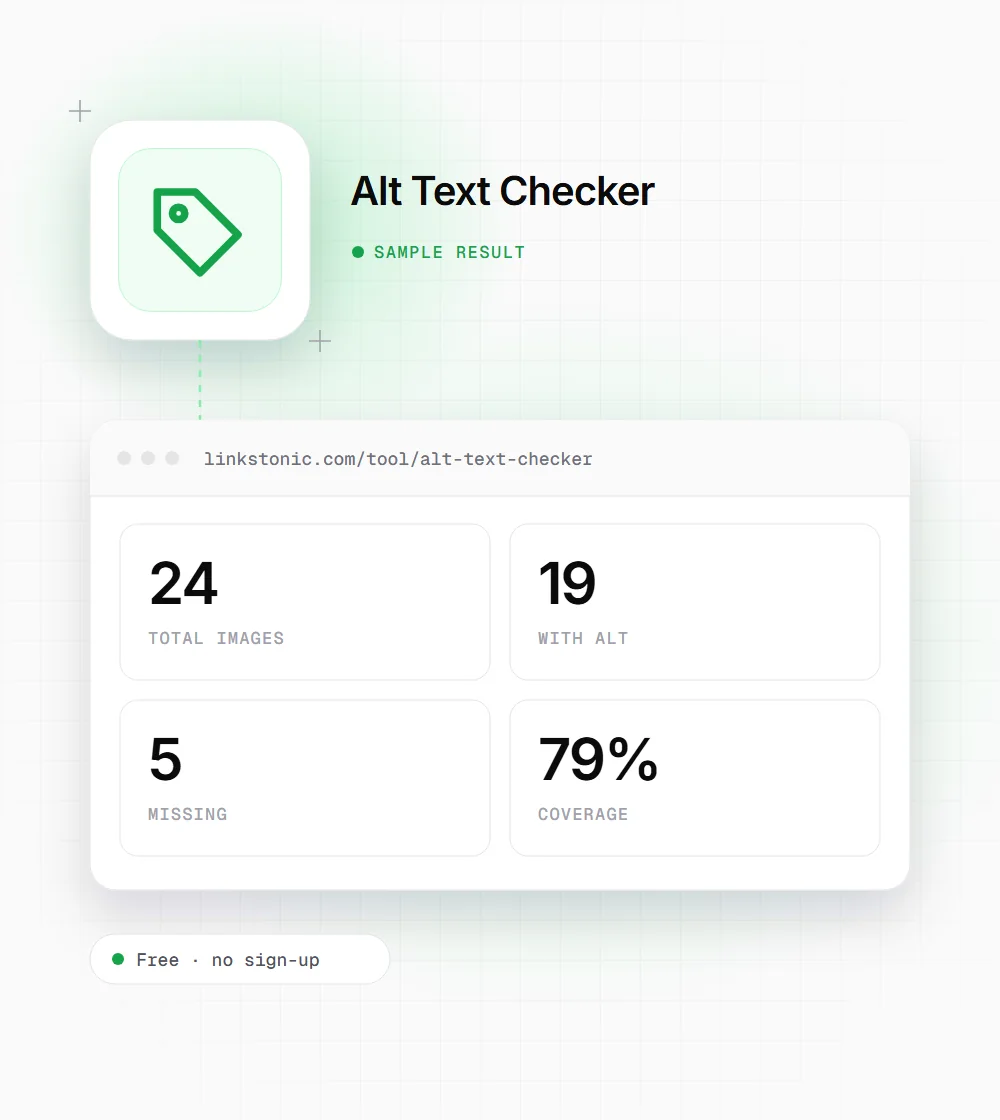
The top row shows total images, images with alt, images missing alt, and coverage. With alt and missing should add up to the total, and coverage is the share that have alt, as a percentage. A page with 20 images and 2 missing reads 90%.
Missing means absent
The tool flags images where the alt attribute isn't there at all. Its own note makes the distinction: a decorative image should carry an empty alt="", which tells screen readers to skip it. Leaving the attribute off entirely is the mistake this list is built to catch.
The missing list
Every flagged image is listed by its src path in red, in a scrolling box, so you can search your CMS or codebase for the file name. An image tag with no src at all shows as "(no src)", which usually points to a lazy-loading script or a broken template.
No quality score
The checker doesn't judge what the alt text says. "image1.jpg", "photo" and a careful description all count as present. After the numbers look good, skim the page source for alt values that are filenames or keyword lists.
A typical blog post
An illustrative result for a made-up article page on example.com. The shape is typical: body images are fine, template images aren't.
https://example.com/blog/remote-work-guide
Most of the missing five usually come from the theme: the footer logo, social icons, an author avatar. Fix them once in the template and every page on the site improves at the same time.
Who runs this check
It's a one-URL spot check, so it suits people who need a quick answer about a specific page.
Accessibility reviewers
Missing alt is one of the first things an audit against WCAG 1.1.1 looks for. This gives a count and a fix list for a page in seconds, before you open a full audit tool.
SEOs on image-heavy pages
Product listings, recipes and portfolios depend on images. Alt text is one of the signals Google uses to understand an image, so gaps on these templates are worth fixing first.
Developers after a redesign
New themes and page builders often drop alt attributes from logos, icons and hero images. Checking one page per key template after launch catches it before a user, a client or an accessibility complaint does.
What the alt should say
Presence is what the tool checks. Content is up to you. This follows the W3C's alt text guidance.
| Image type | Alt text | Example |
|---|---|---|
| Informative photo | Describe what matters in context | alt="Barista pouring latte art into a white cup" |
| Decorative flourish | Empty alt so screen readers skip it | alt="" |
| Linked image or icon button | Say where it goes or what it does | alt="Search" on a magnifier icon |
| Image of text | Repeat the text exactly | alt="Summer sale: 20% off all shoes" |
| Logo | The organization's name | alt="Acme Coffee" |
| Chart or diagram | Short summary, with details in nearby text | alt="Traffic doubled from March to June" |
If an image sits next to a caption that already describes it, a shorter alt is fine. Don't repeat the caption word for word.
Coverage is the easy half
Getting to 100% is mostly a template job. In our experience the missing images on a page cluster in the header, footer and sidebar, not in the article body. Fix the theme and the number jumps everywhere. Then spend your time on the harder half, which is writing alt text that actually describes something.
The mistake to avoid is filling every gap with the page keyword. Google's image guidance asks for useful, descriptive alt text and warns against keyword stuffing, and a screen reader user hearing "best running shoes" twelve times gets nothing from it. Describe the image. The keyword belongs there only when it's genuinely what the picture shows.
Alt text matters for machines too. Google Images uses it to understand what a picture shows, and AI systems that read page HTML, including the crawlers behind ChatGPT and Perplexity, get text where a vision model would otherwise have to guess. A chart with alt="Traffic doubled from March to June" states a fact any of them can read.
Fixing the list fast
Work from the missing list, not the page. It's quicker.
- 01
Search your theme files for each missing src first. If it lives in a template, one edit fixes every page that uses it.
- 02
Mark purely decorative images with alt="" instead of inventing a description. That's still a valid, finished image.
- 03
Keep alt text short, usually a sentence or less. Screen readers read it in full with no way to skim.
- 04
Skip "image of" and "picture of" at the start. Screen readers already announce that it's an image, so those words are wasted.
- 05
Rerun the check after publishing, since some CMSs and image plugins strip or rewrite attributes when a page is saved.