Your numbers, not tips
Ask why a page lost traffic and you get the queries, clicks and positions behind the drop, straight from your connected Search Console.
Ask a question and get an answer built from your Google Search Console, GA4, audits, IntentIQ opportunities and TrueTrace AI visibility, for your domain only. You won't get recycled ChatGPT tips.
 GSC
GSC
 GA4
Audit
TrueTrace
GA4
Audit
TrueTrace
Clicks fell 18% week over week. Most of the drop is on /blog/crm-pricing, across three queries:
| Query | Clicks | Pos. |
|---|---|---|
| crm pricing comparison | −320 | 4 → 8 |
| cheap crm for startups | −190 | 6 → 9 |
| crm cost per user | −95 | 5 → 7 |
Sample conversation for illustration
Answers grounded in the data you've connected
Search Console
GA4
Site audit
IntentIQ
TrueTrace
Answers are scoped to your active project domain and built from your own data, so the next step fits your site and not some average one.
Ask why a page lost traffic and you get the queries, clicks and positions behind the drop, straight from your connected Search Console.
One-click starter prompts cover ranking wins, money keywords, AI visibility, traffic drops, quick wins and competitor gaps. Or type your own question.
Keyword lists and site totals come from fixed data blocks, not the model's memory. The AI explains the numbers. It doesn't get to make them up.
Google Search Console is the minimum. Every extra source you connect gives the answers more to work with, and all of it is available in every thread.
Pulled live from your connected GSC property. You need this one for answers about your own site.
Clicks, impressions, CTR and position by query
Property-level clicks and impressions
Day-by-day changes to spot drops
Narrow the data to one theme or section
Uses the same GA4 connection as BehaviorMind, so you only set it up once.
Overall site engagement
How organic search performs against other channels
Changes compared with the previous period
Run a website audit and the Strategist can explain technical and E-E-A-T scores. IntentIQ adds a prioritized list of SEO opportunities.
Results from your latest website audit
Experience, expertise and trust signals
IntentIQ's scored SEO opportunity list
AI readiness scores and tracked keywords from TrueTrace put AI search in the same conversation as organic.
How citable your pages are for answer engines
Keywords you track in TrueTrace
Where you're missing from AI answers, routed to Citation Gap
The Strategist sends you to the Linkstonic feature that matches what your data shows, and you can share any answer with your team.
Citation Gap when your brand is absent from AI answers, Content Lab for content fixes, IntentIQ for prioritized opportunities, LinkMind for internal links.
Copy any answer or export it as seo-strategist-report-{timestamp}.md.
Pick your domain so GSC, GA4, audit and visibility data all point at the right site.
Type a question or click a starter prompt card. The AI pulls live data from your connected sources and runs read-only tools if it needs more.
Copy it, export it, or follow the in-app link to the feature it recommends, such as Citation Gap, Content Lab or LinkMind.
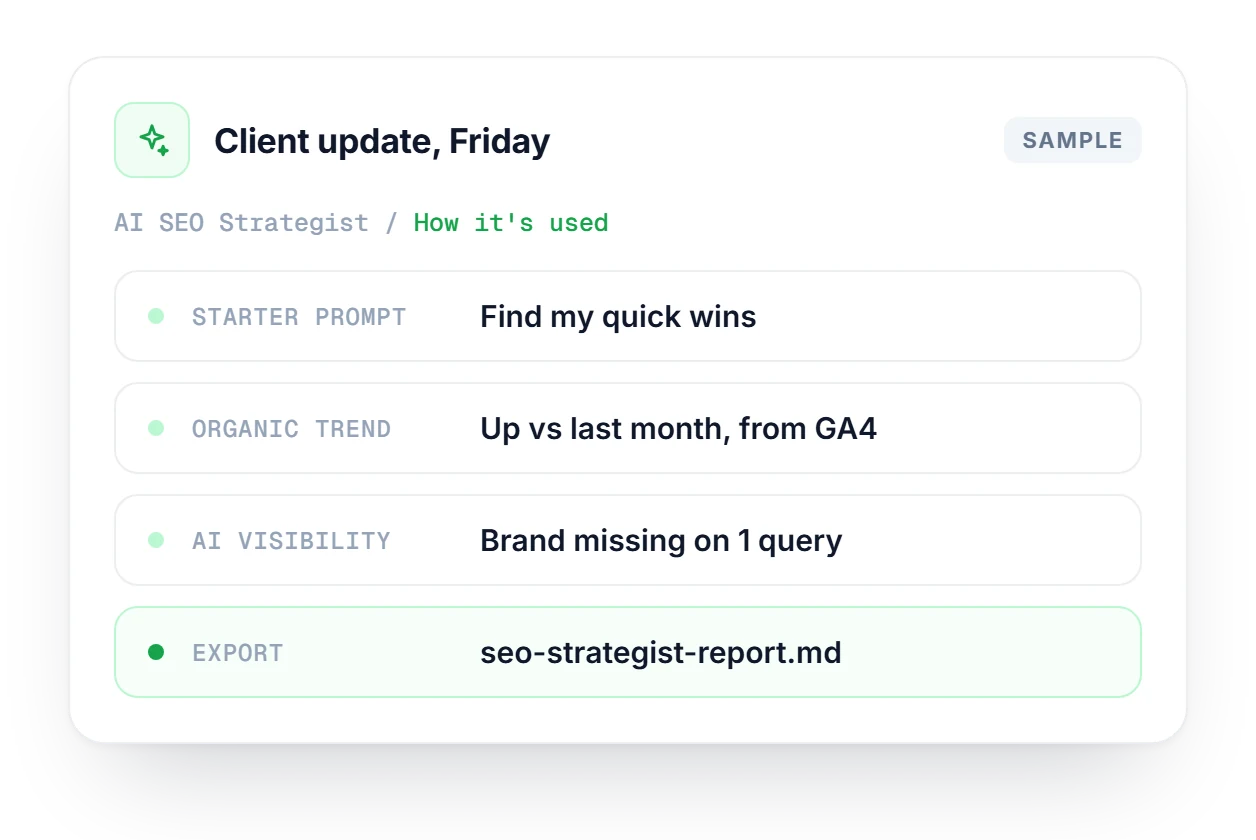
A client call is on Monday, so on Friday you open AI SEO Strategist and click the Quick wins starter prompt. Follow-up questions pull the organic trend from GA4 and AI visibility from TrueTrace, including a keyword where your brand is missing. You export the thread as Markdown, and Monday's call goes straight to priorities.
A scored inbox of SEO opportunities built from GSC, audits and LinkMind, with weekly plans and quick wins sorted by impact.
Explore IntentIQFind the keywords where AI cites competitors instead of you, with severity scoring and prioritized fixes.
Explore Citation GapScores, written insights and opportunities from your GA4 data, using the same GA4 connection as the Strategist.
Explore BehaviorMindWhat the Strategist knows, what it doesn't, and how to share its answers.
See which plan includes AI SEO Strategist and the data sources it can use.
Compare plans →No, and it isn't trying to. A good consultant still earns their fee on big strategic calls that need judgment. For reading your data, deciding what to work on first and getting a quick answer on a Tuesday afternoon, SEO Strategist is much faster.
At minimum, Google Search Console. Connecting GA4, running a website audit and tracking keywords in TrueTrace each give it more to draw on, so answers get more specific as you add sources.
ChatGPT gives general SEO advice. AI SEO Strategist works from your own GSC data, audits and visibility scores. Keyword lists and site totals come from fixed data blocks rather than the model, so it can't invent metrics.
Yes. You can copy any answer or export it as a Markdown file with a timestamp in the name. It is ready to paste into a doc, share in Slack or drop into a client report.
It depends on what your data shows. Citation Gap when your brand is missing from AI answers, Content Lab for content fixes, IntentIQ for a prioritized list of opportunities and LinkMind for internal links.
No. It reads data from your connected sources and runs read-only agent tools when it needs more detail. Any change to your site is yours to make, usually through the Linkstonic feature it links to.
Start free, no credit card needed. Connect Search Console, pick a starter prompt and see what your data says.
 ChatGPTrival-one cited
 PerplexityYou cited
 Geminirival-two cited