One range, the full story
The dates you select set the window for every score, insight card and chat answer, so everything on screen describes the same period.
Your dashboard shows the numbers. BehaviorMind AI reads them for the date range you picked and writes up what changed, what looks off and what to do next. When you want more detail, ask it.
 yourbrand.com · GA4
Sample data for illustration
BehaviorMind AI reads the same GA4 signals as your dashboard and turns them into a short, ranked summary you can act on or read out at standup.
The dates you select set the window for every score, insight card and chat answer, so everything on screen describes the same period.
Scores, Opportunity Finder, channel verdicts, journey drop-offs and the conversion-leak proxy each come with suggested next steps.
Headlines tagged by severity, anomaly signals and recommendations, written so you can paste them into a report or read them at standup.
Each block reads the same GA4 window and answers a different question. Together they cover health, signals, channels and content.
Traffic, engagement and conversion-proxy scores show health at a glance. The headline explains what happened, why, and what to do next.
Volume and trend of sessions and users in the window
Engaged sessions, time and depth compared with the baseline
Key events and conversion-like actions, sharper when key events are set up
What happened, why, and what to do next, tagged positive, warning or info
Spikes and drops against a recent baseline, plus the pages where a gap shows up. Start your investigation here.
Sessions on Mar 14 fell well below the recent baseline
Top pages with a visible gap, each with findings and bullet actions
Proxy steps with suggestions, sharper when real key events are configured
Per-channel sessions and engagement with a one-line verdict for budget and focus, plus a journey summary with drop-off labels.
Largest channel with steady engagement. Protect top pages.
Sessions up but engagement well under site average
Small but growing, with high engagement per session
Landing → pricing → sign-up, with the biggest drop labelled for UX and funnel hypotheses
Pages labelled star, leak or balanced, so you know what to promote and what to fix. Audience blurbs and test ideas round it out.
/blog/ga4-setup-guide: high engagement, low bounce
/pricing: high traffic, weak follow-through
Segment-style notes on which audiences are most worth optimizing for
Short traffic and conversion notes plus a list of test ideas
Here's what is live, what is partial and what is still on the roadmap. Rollout can vary by tenant or plan, so check the map before you promise a feature to anyone.
Ask in plain English and get answers grounded in the same GA4 window. Start from a suggested prompt or write your own.
Setup note: full natural-language chat needs an OpenAI API key configured on the server. Without it, scores and insight cards still work, and the app tells you clearly what is limited.
Ask BehaviorMindSampleBehaviorMind AI uses the same GA4 connection as the BehaviorMind dashboard. If the dashboard shows data, you're ready.
The window you choose drives every score, insight card and chat answer, so the whole story covers one period.
Open the BehaviorMind AI tab for scores, headlines and opportunities. Ask follow-up questions when chat is enabled.
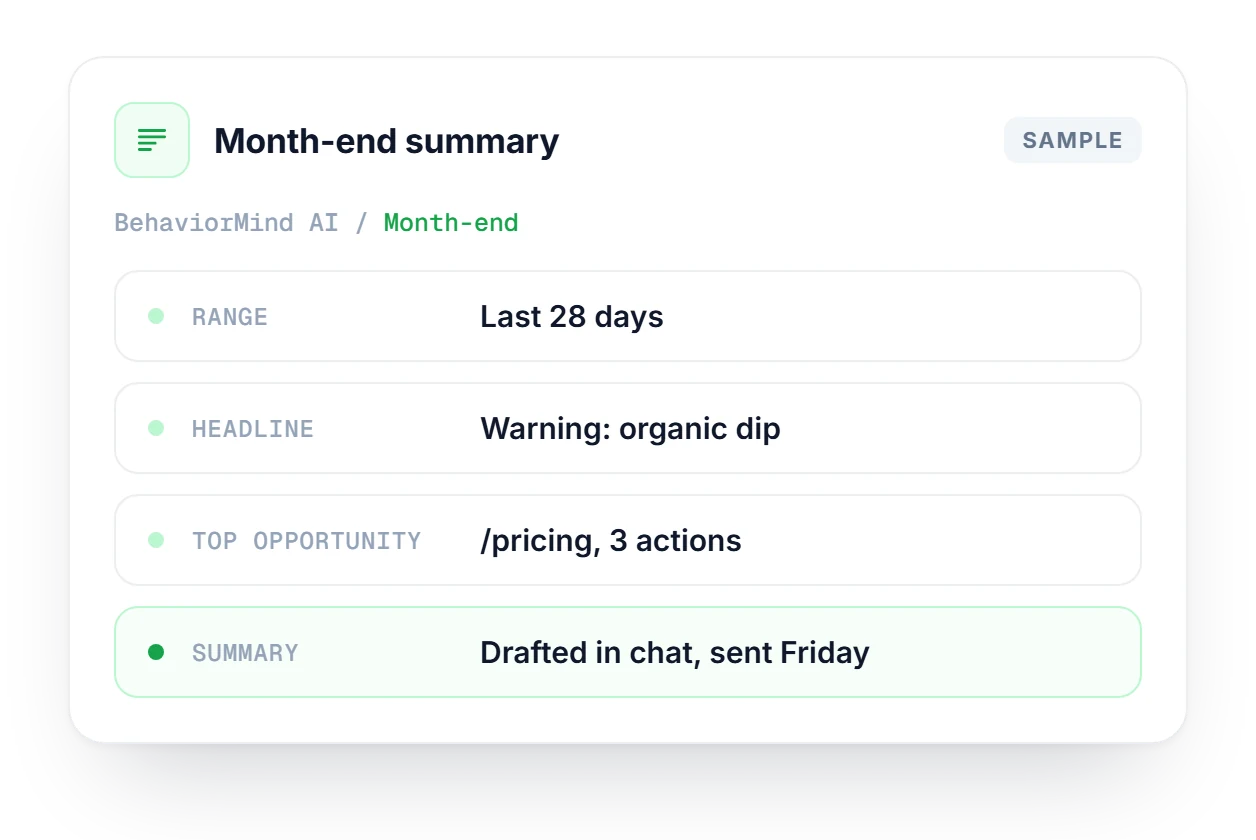
It's the last Friday of the month and leadership wants to know how the site did. Set the last 28 days, read the three scores and the insight headline, then check the anomaly radar for single-day spikes or drops. Opportunity Finder turns a weak page like /pricing into next sprint's to-do list, and chat drafts the executive summary.
The charts behind the insights: Growth, Behavior, Revenue, Acquisition and User Intent, plus AI referrer tracking.
Explore the dashboardGSC-powered view of your organic URLs: trends, filters and per-URL AI visibility. The search side of the same story.
Explore SearchMindSee how often ChatGPT, Claude, Gemini and Perplexity mention your brand, then match it with the AI referrals you see in GA4.
Explore AI TrackingHow BehaviorMind AI relates to the dashboard, what it needs and what works without chat.
See which plan fits your team and how BehaviorMind fits into the rest of Linkstonic.
Compare plans →No. BehaviorMind AI is a tab inside Linkstonic. It uses the same interface and date range as the BehaviorMind dashboard, then adds deeper analysis on top, plus optional chat when the server has an OpenAI key.
The dashboard shows the charts and tables, in sections such as Growth, Behavior and Revenue. BehaviorMind AI reads those same signals and adds a written summary, priorities and a place to ask questions, so you spend less time working out what the charts mean.
Yes. The dates you select in BehaviorMind set the window for scores, insight cards and chat context. Change the range and all of them follow it, so you never read a score from one period next to a headline from another.
Chat works fully once an OpenAI API key is configured on the server. Without the key you still get the structured AI Suite, including scores and insight cards, and the app tells you plainly which parts are limited.
You need a GA4 property connected to BehaviorMind, and that's enough for scores and insight cards. Chat also needs the OpenAI key on the server. The conversion-proxy score gets sharper once key events are set up in GA4.
Not all of them. The feature coverage map shows which modules are Live, Partial or on the Roadmap, and rollout can vary by tenant or plan. The same map is inside the product, so you can check before relying on a module.
Connect your GA4 property and read your first BehaviorMind AI summary today. Plans scale with team size.

 ChatGPT#2
 Perplexity#1