Click a bucket, get the list
Top 3, 4–10, 11–20, 21–50 and 50+. Click a bucket and the keyword table narrows to only those terms.
Keyword Distribution sorts every Search Console keyword into position buckets and three smart segments: Quick Wins, CTR Gap and AIO Missing. You see where to work next, as well as where you rank.
 yourbrand.com
28 days
All devices
CardsGraph
yourbrand.com
28 days
All devices
CardsGraph
Sample data for illustration
Two sites with the same average position can look nothing alike underneath. Buckets show the spread, and smart segments pick out the keywords worth your next hour.
Top 3, 4–10, 11–20, 21–50 and 50+. Click a bucket and the keyword table narrows to only those terms.
CTR Gap compares your actual CTR with the benchmark for that position. A big gap usually means the title and meta description need rewriting.
AIO Missing flags queries where you rank and Google shows an AI Overview, but your domain isn't one of its sources.
Start with Quick Wins, where effort pays back fastest. Then CTR Gap. Then AIO Missing, the AI Overview gap most sites haven't looked at yet.
Keywords in positions 4–20 with meaningful impressions and a recorded landing URL. They're close to page one, and often a single content update or internal link moves them up.
Your actual CTR against the expected CTR for that position, based on industry benchmarks. A good rank with weak click-through usually points to the title and meta description.
A SERP check finds a Google AI Overview for the query, and your domain isn't cited in it. These AI citation gaps sit on top of rankings you already have.
The portfolio view: how many keywords sit in each ranking band and how that changed since the previous period. Click a bucket to filter the keyword table.
Summary cards show site-wide ranking health, each with its change from the last period. Narrow everything by date, country and device, then read it as cards or as a graph.
Total Keywords, Top 10 Keywords, Avg Position and Total Queries, each with its % change.
7, 28, 30 or 90 days. Any country. All, Desktop, Mobile or Tablet.
Switch views and your filters stay put.
Connect GSC in Settings → Search Console. If it isn't connected yet, the page prompts you to set it up.
Summary cards give site-wide ranking health and the bucket bars show the spread. Click a bucket to filter the keyword table.
Quick Wins first, since they move fastest. Then CTR Gap. Then AIO Missing, the AI Overview gap most sites haven't dealt with.
A client asks why their average position only improved by 1.3 in a month. Keyword Distribution shows the real story: the 4–10 bucket gained 11 keywords while 21–50 lost 9. Check the Mobile filter, open Quick Wins for posts sitting around position 11, then export that list and send the client a reason next to every keyword.
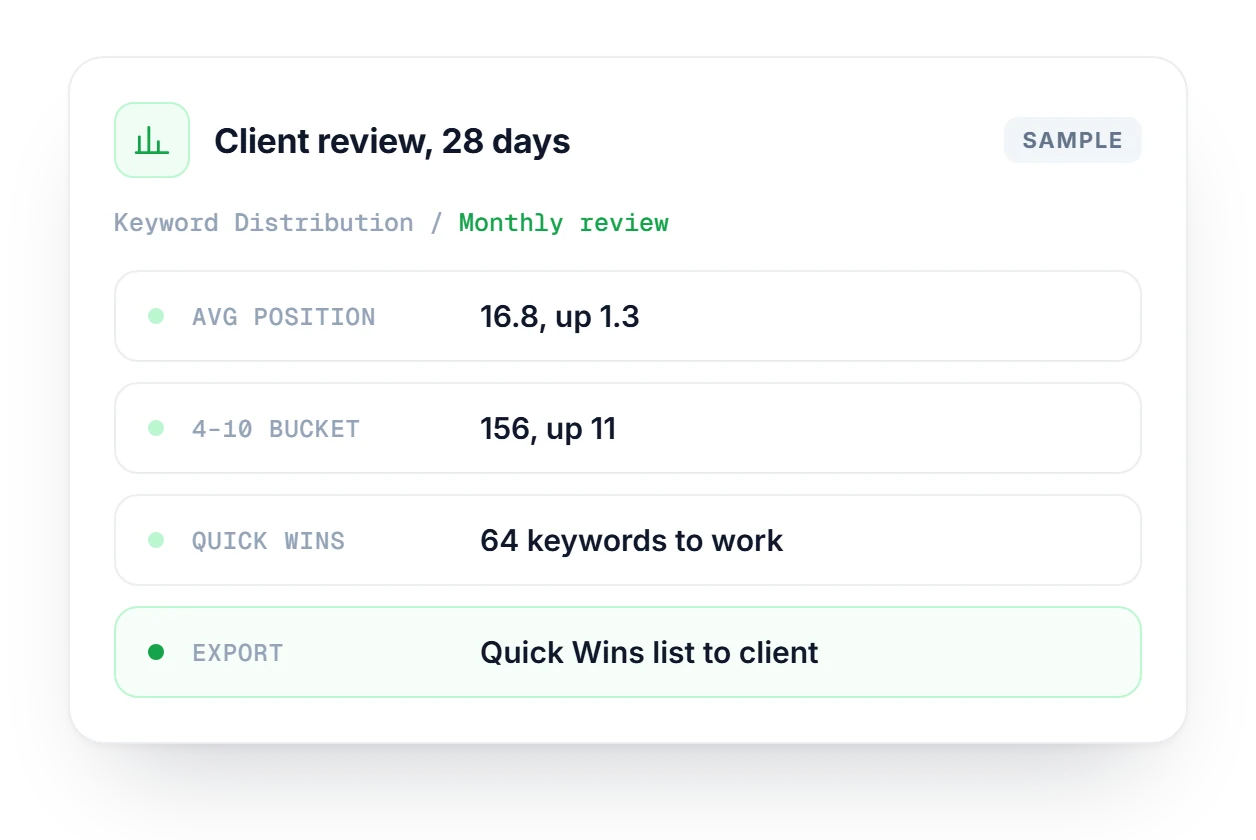
How the buckets, segments and filters work.
Export is included on Pro and Agency plans.
Compare plans →Quick Wins are keywords ranking in positions 4–20 with meaningful impressions and a recorded landing URL. They're close to page one, so a single good content update or a few internal links is often enough to move them up.
It compares your actual CTR for a keyword with the expected CTR for that position, based on industry benchmarks. When the actual CTR is well below what the position should get, the keyword is flagged as a CTR Gap, which usually means the title or meta description needs work.
It means a Google AI Overview exists for the query, detected by a SERP check, but your domain isn't cited as a source inside it. Since you already rank for these queries, they are the AI citation gaps closest to work you have already done.
You can filter by date range (7, 28, 30 or 90 days), country and device (All, Desktop, Mobile or Tablet). You can also switch between Card view and Graph view, and both keep the same filters applied.
Deep Insights covers a wider range of issue types across 7 Search Console views. Keyword Distribution is narrower on purpose: it focuses on position buckets and three smart segments, so you get a tighter view of your ranking portfolio and a clear order of work.
Yes, on Pro and Agency plans. You can filter the table before exporting, so you pull only the Quick Wins or CTR Gap segment and hand a focused list to whoever is doing the fixes.
Start free, no credit card. Connect Search Console and see your keywords sorted by bucket and by opportunity.