Many triggers, one email
Triggers pile up until the batch window closes, then go out as one email per recipient. Your boss gets one message, not nine.
Combined Alerts keeps a log of every Weekly digest and Combined batch email. Check who got each one, which triggers went in and what changed. If a pending batch can't wait, send it early.
 Mentions up 3 → 7
 New platform
 New mention
 Position improved #4 → #2
+3 more
Position improved #4 → #2
+3 more
Sample digest history for illustration
Digest delivery cuts the number of notifications. Someone still has to answer "did the client get that?", and Combined Alerts is where you look it up.
Triggers pile up until the batch window closes, then go out as one email per recipient. Your boss gets one message, not nine.
Each entry keeps the triggers, platforms and before and after values from the email, plus the time it was sent.
Got a pending batch that shouldn't sit until the window? Send pending now sends it straight away.
You set both modes on the Alerts page, and both are logged here. They differ in what gets grouped into one email.
All of the week's triggers in one email.
Every brand merged per recipient.
One brand, or a team that wants a single quiet summary each week.
Set up a digestAgencies and portfolios where each person should get one email.
See agency plansThe top of the history shows combined emails sent, triggers processed, emails sent today and the average triggers per email. A time filter gets you to the batch you want.
Know how much your alerts are doing without opening an email.
24h, 7d, 30d or All. Find the batch you need without scrolling.
Brand and keyword, recipient, status, and one chip per trigger.
Set an alert to Weekly digest or Combined batch on the Alerts page. Immediate alerts skip this history.
The alert engine holds triggers until the batch window closes, then merges them into one email per recipient.
Open Combined Alerts to see sent and pending batches, check trigger details and force-send if something is urgent.
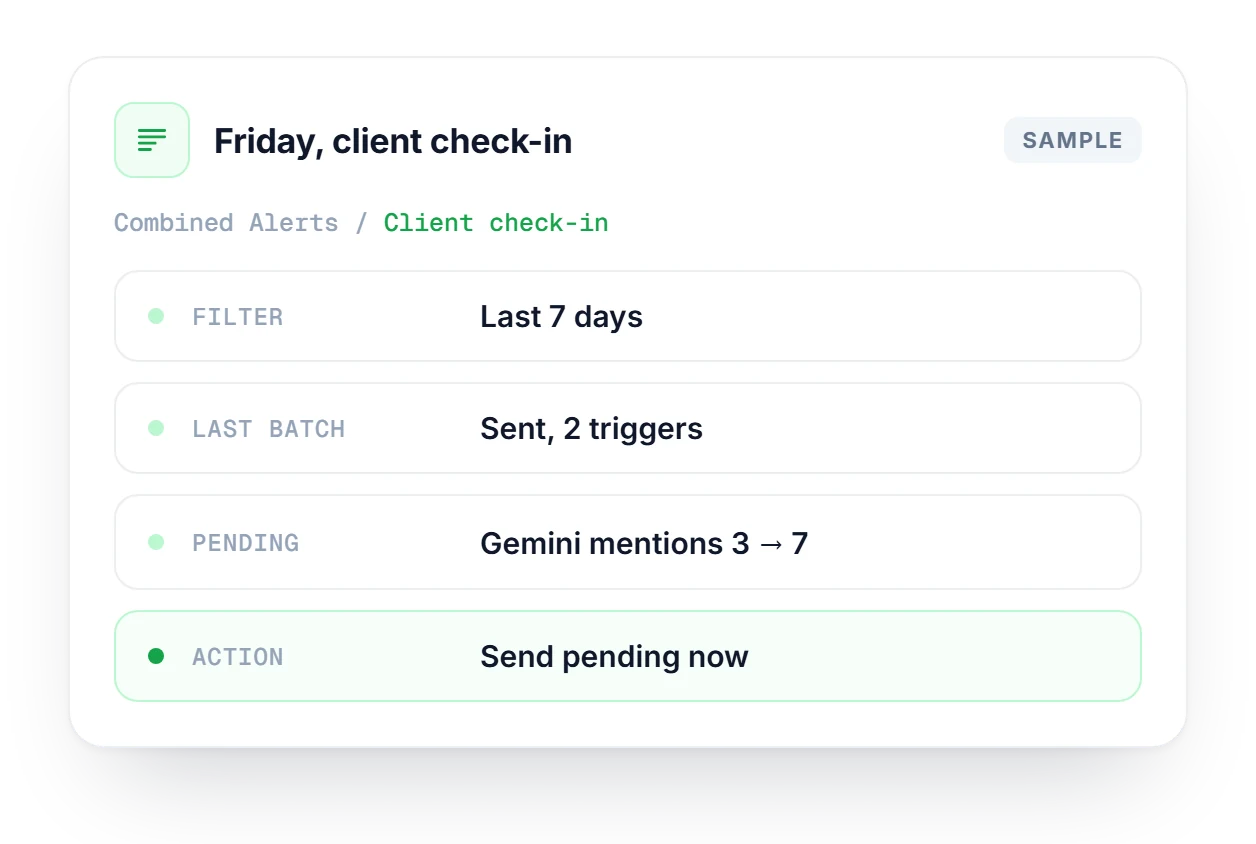
A client emails on Friday asking whether anything changed in AI answers this week. Open Combined Alerts, filter to 7d and find their brand to see each sent email and the triggers inside it. A pending batch shows Gemini mentions rising from 3 to 7, and with their call in an hour, you click Send pending now.
Create alerts per brand and keyword, choose triggers and pick Immediate, Weekly digest, Combined batch or Discord.
Explore AlertsEvery trigger starts in a tracking session here. Mentions across ChatGPT, Claude, Gemini and Perplexity, per keyword.
Explore Track KeywordsShare of voice and competitor trends over time, so you can tell if one week's digest is a blip or a pattern.
Explore AnalyticsHow digest and batch history works, and how it fits with Immediate alerts.
Check which plan includes digest alerts and cross-brand batching.
Compare plans →Combined Alerts only lists alerts set to Weekly digest or Combined batch. Immediate alerts go straight to email or Discord when a trigger fires, so they never show up in this history. Their setup lives on the Alerts page.
Weekly digest groups triggers by time and sends them on a fixed weekly schedule. Combined batch groups them by person, merging triggers from every brand into one email per recipient. Agencies running many brands usually want the second.
Each entry shows the brand and keyword, the recipient email and a Sent or Pending status. Below that is a chip for every trigger in the email (New mention, Position improved, New platform, Mentions up) with the platform and its previous and current values.
Yes. Click Send pending now and the current pending batch goes out right away instead of waiting for the scheduled window. It helps when one of the queued triggers is something a client needs to hear about today.
Digest alerts are available on Starter and every plan above it. Cross-brand batching, where all your brands are merged into one email per recipient, is an Enterprise/Agency feature. The Pricing page has the current plan details.
No, the two work side by side. Immediate alerts still fire once per trigger as changes come in. Combined Alerts is where you review and manage the digest and batch deliveries, so you can mix both on different alerts.
Start free, switch one alert to digest delivery and the history starts filling in from the first batch.