See who AI recommends
Mention checks put your category keywords to LLMs and write down every brand that gets named.
LLM Brand Monitor counts brand mentions and share of voice in LLM responses for the category keywords you pick. You see who gets recommended and how your share moves from one check to the next.
Sample dashboard for illustration
Ask an assistant for the best tool in your space and it names a handful of brands. Brand Monitor measures how often one of them is you.
Mention checks put your category keywords to LLMs and write down every brand that gets named.
Your mentions divided by all brand mentions, yours plus every competitor's, for the keywords you set. That's the whole formula.
When a check finds a significant change in mentions or share, you get an alert badge. You don't have to compare charts by hand.
Enter your brand, the competitors you watch and the category keywords buyers actually type. Each mention check then covers that whole set.
Competitors separated by commas, one category keyword per line. That's all the setup there is.
Save several brands and switch between them with the pill buttons. You never retype a setup.
Run a check when you want fresh numbers. Every check is stored, so the trend builds up on its own.
Each check updates three views: where your mentions are heading, how the category splits today, and which changes you should look at.
How often your brand appears in LLM responses, check by check. The line tells you whether you're gaining ground or losing it.
The latest check in one picture: your brand against every competitor. You can tell in a second who gets most of the LLM recommendations in your category.
A badge shows up when a check finds a significant change in your mention rate or share of voice against the previous check. Quiet weeks stay quiet.
Enter your brand name, your competitors separated by commas and your category keywords one per line. Save it to your workspace.
Pick your brand from the pill buttons and click Run mention check. LLMs get queried for each of your category keywords.
The mentions chart shows the trend, and the share of voice chart shows today's split. Alert badges mark big changes between checks.
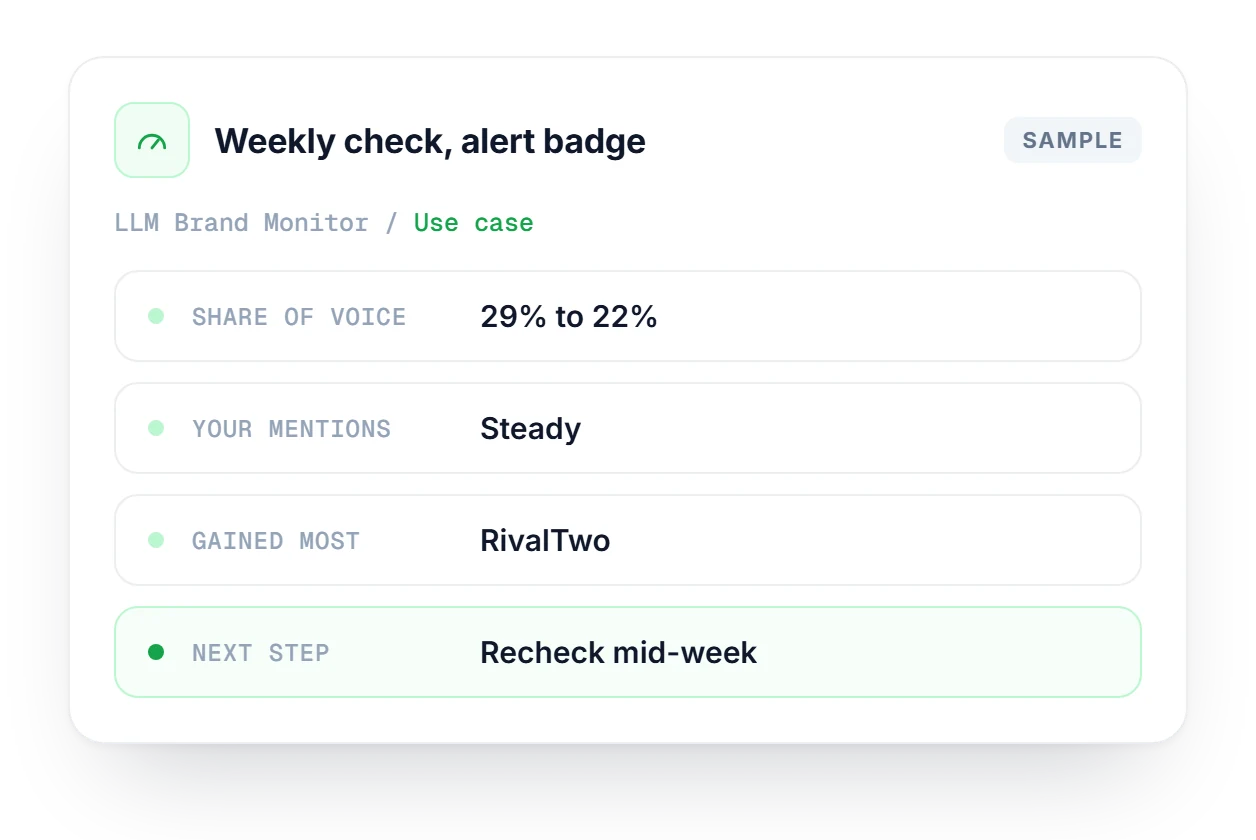
The weekly check comes back with a badge: share of voice down from 29% to 22%. Open the mentions chart first. If your own count held steady, a competitor gained ground, and the share of voice chart shows it was RivalTwo. Run another check mid-week to rule out noise before asking the content team which keywords the rival took.
Go from the category down to single keywords, with visibility scores and position data from each AI engine.
Explore Track KeywordsCompare your site with up to 3 competitors on Core Web Vitals, on-page SEO and schema, with prioritized fixes.
Explore Competitor AnalysisCompare any date range with the one before it, and get competitor trends from your tracking data explained by AI.
Explore AnalyticsHow share of voice is measured, how often to run checks, and where Brand Monitor ends and Track Keywords begins.
Check which plans include Brand Monitor and how many brands each one lets you save.
Compare plans →It queries the major LLM platforms used in our SearchIQ pipeline. We update the specific models as new ones come out and older ones are retired, so the list changes over time rather than staying fixed.
It's your brand mentions divided by total mentions, meaning your brand plus all competitor brands, in LLM responses for the category keywords you defined. There is no hidden weighting on top.
Weekly is a good baseline for most brands. Run them more often if your category moves fast, or right after you publish content written specifically to earn AI citations, so you can see whether it moved the numbers.
They work at different levels. Track Keywords is keyword-level AI tracking with visibility scores and position data. Brand Monitor looks at share of voice across a whole competitive category, which is the higher-level view.
A significant statistical change in your brand's mention rate or share of voice between the current check and the one before it. Small week-to-week wobbles don't trigger a badge, so the ones you see are worth reading.
Yes. Save several brand setups in your workspace and switch between them with the brand pill buttons. You don't have to re-enter competitors or keywords each time.
Start free, no credit card. Add your brand, your competitors and a few category keywords, then run your first mention check.


