Reverse IP Domain Checker
Type a domain name or an IPv4 address and the checker resolves it, then lists the other hostnames that point to the same IP. You get the resolved address, a count of domains found and the full list in a scrollable box.
Updated · by the Linkstonic team
What happens after you press Lookup
The lookup runs on our server, not in your browser, and leans on a third-party dataset. That shapes what you see.
Resolving the name
If you enter a domain, the server first looks up its IP address and shows it as "Resolved IP" above the results. If you paste an IP directly, that step is skipped. The domain list that follows is for that one address, so write it down if you plan to compare later.
Where the list comes from
The domain list comes from HackerTarget's free reverse IP API. It is built from DNS data they have collected over time, not from a live scan of the server, so a site added last week may be missing and a site that moved away may still appear.
The count
The bold line reads "N domain(s) on this IP". Subdomains count separately, so www.example.com and mail.example.com are two entries. A big number usually means shared hosting or a CDN edge, not a single owner running dozens of sites.
Empty results
If nothing else points to the IP, you see "No other domains found on this IP." That is normal for a dedicated server or a fresh cloud instance. It can also mean the dataset simply hasn't seen the IP yet.
Daily limit
HackerTarget's free tier allows about 100 lookups per day. When that runs out, the tool shows the API's message in place of the list. Wait a few hours and try again rather than hammering the button.
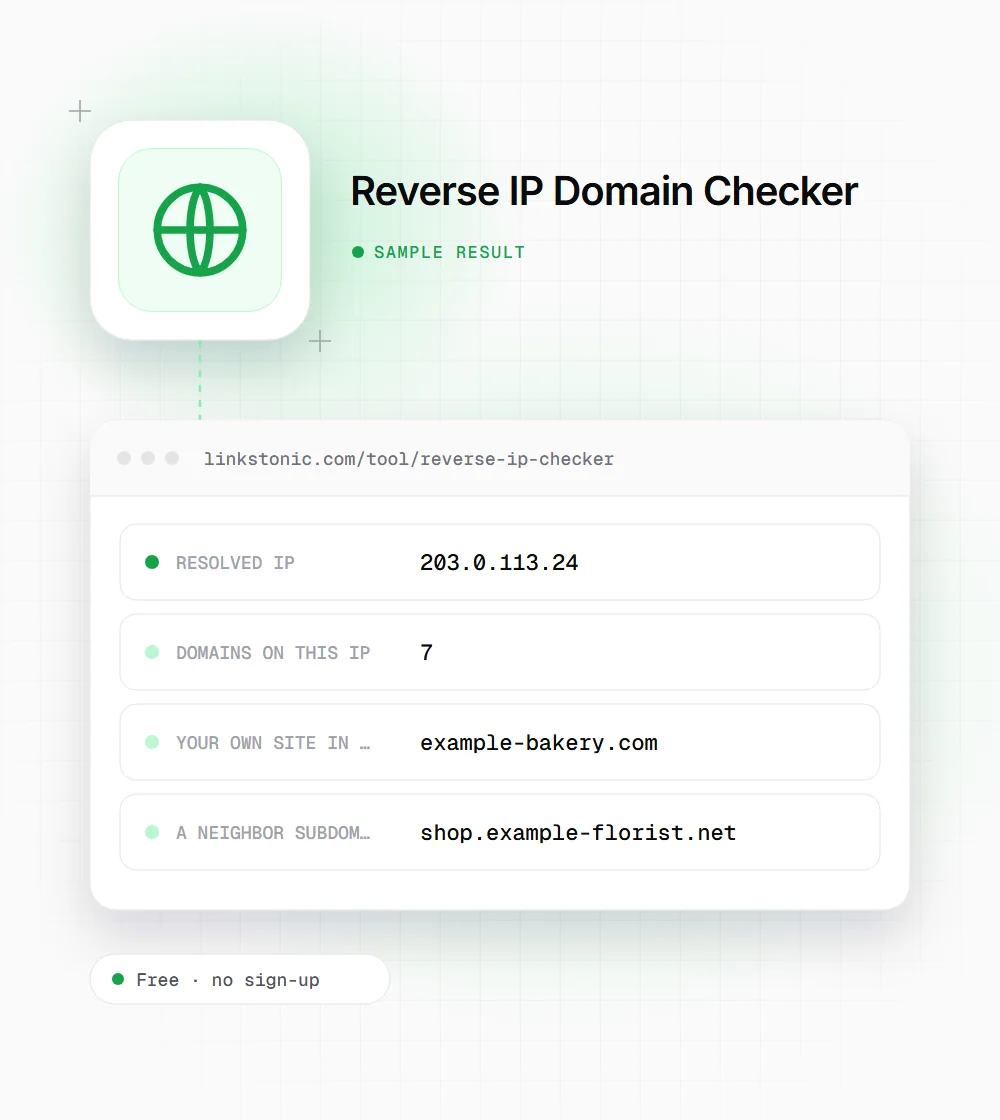
A sample lookup
This is an illustrative result, not a real measurement. It shows how a small shared hosting account tends to look.
example-bakery.com
Two of the seven entries belong to the same bakery. Strip out your own hostnames first, then look at who is left, because that is your actual neighborhood.
Who runs reverse IP lookups
The same list answers quite different questions depending on who is reading it.
Site owners on shared hosting
Check who else sits on your IP. If a neighbor is sending spam, your mail can end up on a blocklist with it. A quick look tells you whether it is time to ask your host for a dedicated IP.
Link builders and SEO auditors
When a batch of backlinks all come from the same IP, a reverse lookup often shows one owner running a cluster of thin sites. That is a network worth avoiding, or at least worth discounting in a link audit.
Security and IT staff
Before blocking an IP at the firewall, see what else lives there. Blocking a CDN or a big shared host can take out hundreds of unrelated sites, including ones your team uses.
Researchers and journalists
Reverse IP is one of the first steps in mapping who is behind a group of sites. It is a lead, not proof, since hosting companies pack thousands of strangers onto the same address.
Shared IPs are normal, so read the list with care
Most small websites share an IP with other sites. Cheap hosting works that way, and so do CDNs such as Cloudflare, where one edge IP fronts a huge number of unrelated domains. Seeing 300 neighbors is not a warning sign on its own. I'd only worry when the neighbors look like spam, malware or adult sites and you are on a small host where the IP is also used for outgoing mail.
On the SEO side, Google has said for years that sharing an IP with other sites is not a ranking problem. Where the IP does matter is link analysis. A set of "independent" blogs that all resolve to the same small server and link to each other is a pattern link auditors look for, and a reverse lookup is how you spot it.
The limit of this tool is the data. It shows what HackerTarget has recorded, which lags reality and may miss sites behind a CDN entirely. For a site behind Cloudflare, the result describes Cloudflare's edge, not the origin server. AI assistants like ChatGPT or Perplexity can't do this lookup from memory either, so a live check is the only way to get a current answer.
Getting a useful answer from the list
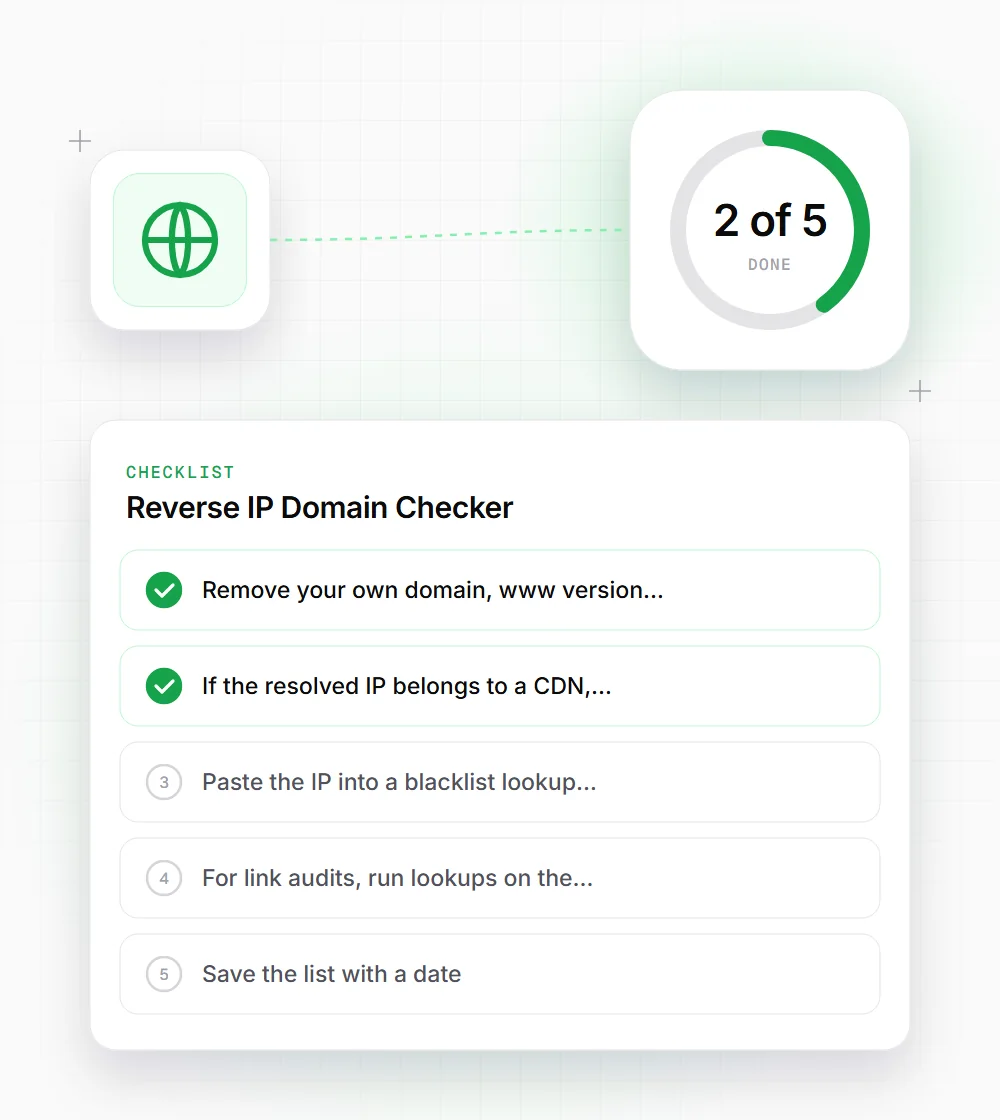
A raw list of hostnames needs a little cleanup before it tells you anything.
- 01
Remove your own domain, www version and mail subdomains first. What's left is the real set of neighbors.
- 02
If the resolved IP belongs to a CDN, the list describes the CDN. Look up your origin server IP directly instead.
- 03
Paste the IP into a blacklist lookup next. A shared IP on a spam list affects every site and mailbox on it.
- 04
For link audits, run lookups on the IPs of your top linking domains and look for repeats.
- 05
Save the list with a date. Hosting changes often, and a snapshot helps if you need to compare later.