Phishing Site Checker
Paste a link you don't trust and the checker runs it through a set of pattern checks on Linkstonic's server. You get a low, medium or high risk rating, how many checks passed, and a short note on each one so you can see why.
Updated · by the Linkstonic team
How the rating works
This is a heuristic tool. It looks for patterns common in phishing links and reports what it found. Here's how to read the result.
Risk level
The banner shows Low Risk in green, Medium Risk in amber, and a red High Risk for anything worse. The server sets the level from the check results listed below, so read it as a summary of those checks, not a judgment about who runs the site.
Checks passed
Under the banner you see a count such as 7/9 checks passed. The same number of failures can mean different things depending on which checks failed, so always read the list rather than stopping at the banner.
One line per check
Each check gets a green tick or a red cross, its name, and a short detail explaining the result. The detail is where the useful information is: it tells you what about the URL triggered the flag, so you can judge whether it's a real warning sign.
Heuristic by design
The tool's own notes describe it as pattern analysis, with Google Safe Browsing as an optional server-side addition. Don't assume the URL was checked against Google's blocklist. If a Safe Browsing check isn't in the list of results, it wasn't.
Enter the full link
The input starts with https:// and expects a complete URL. Paste the exact link from the message, including the path, rather than just the domain. Phishing links often hide the tell in the path or in a long subdomain, not in the main domain name.
A link from a fake delivery text
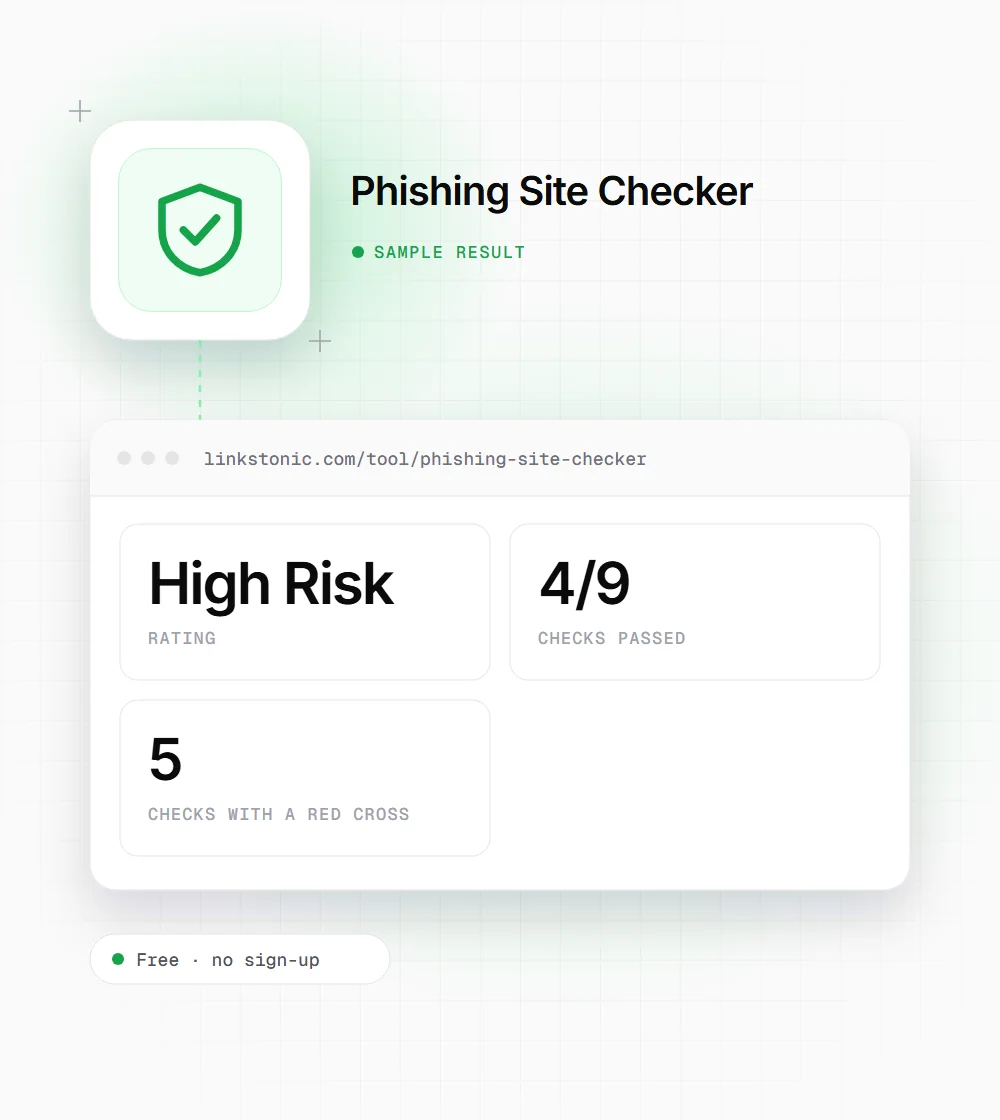
An illustrative result, not a real scan. The domain is made up in the style of a typical parcel scam.
https://parcel-redelivery-example.com/track/confirm?id=88412
Here five of nine checks failed and the banner went red. Even a low rating wouldn't make an unexpected delivery text safe, because the rating judges the URL's patterns, not the story in the message.
When to run a check
Most people land here holding one suspicious link.
Anyone with an odd message
A text about a missed parcel, an email about a locked account, a DM with a prize. Copy the link without clicking it (long-press or right-click, then copy link) and paste it here before you decide anything.
IT and help desk teams
When staff forward a suspicious email, a quick check gives you a rating and reasons to put in the ticket reply. It's a first pass before deeper analysis, not a replacement for your email security tools.
Site owners after a hack
If your own URLs are being reported, check a few of them here. Then go to Google Search Console's Security Issues report, which is the authoritative source on whether Google has flagged your site.
What a low rating can't tell you
Pattern checks are good at catching sloppy phishing: odd domains and strange URL structure. They're weaker against polished attacks on freshly registered domains that look normal, or on real sites that were hacked. A low rating means the URL didn't match the warning patterns. It doesn't mean the page is safe to log in to.
The message usually gives more away than the link. Urgency, a request for a password or card number, and a sender who doesn't match the brand are all red flags a URL check can't see. I'd treat any unexpected request for credentials as suspicious and go to the company's site directly instead.
For site owners, being flagged is an SEO problem as well as a trust problem. Chrome shows a full-page warning for sites on Google Safe Browsing, and traffic drops fast. Clean the site, then request a review in Search Console. AI assistants that browse the web are likely to steer around flagged pages too.
Checking a link by eye
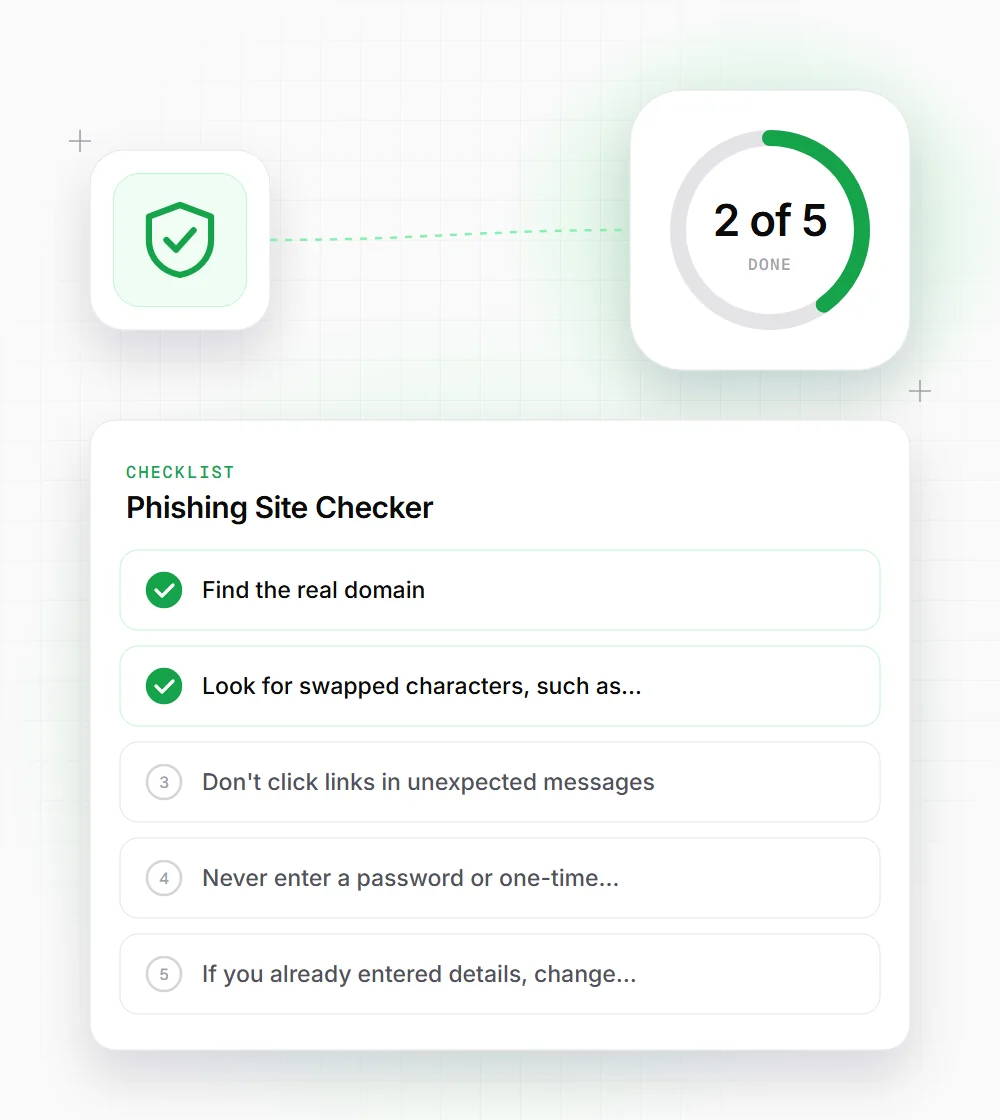
Run the checker, then do these quick checks yourself.
- 01
Find the real domain: it's the part just before the first single slash. In login.bank.example-secure.com/verify, that's example-secure.com, not bank.
- 02
Look for swapped characters, such as rn for m or a zero for the letter o.
- 03
Don't click links in unexpected messages. Type the company's address yourself or use its app.
- 04
Never enter a password or one-time code on a page you reached from a text message link.
- 05
If you already entered details, change that password now and turn on two-factor login for the account.